Learn a language while watching your favorite videos
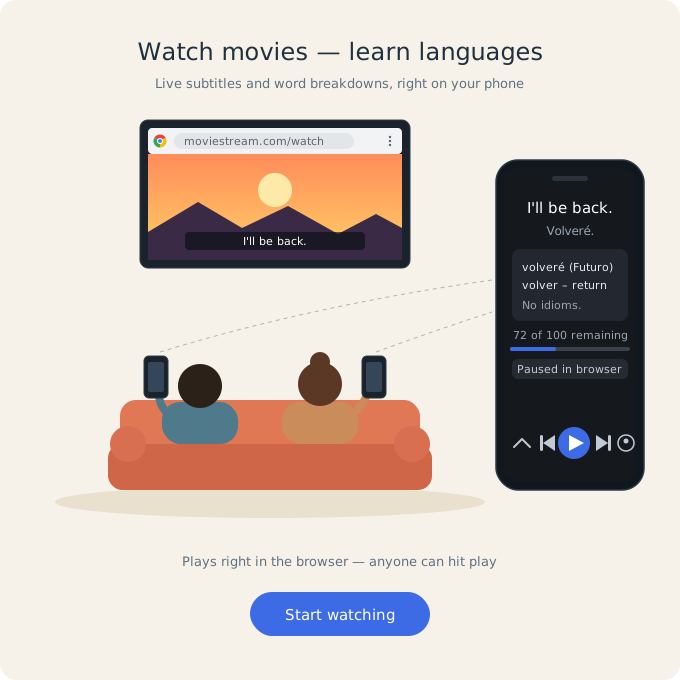
Pair the SubWise Chrome extension with the mobile app: subtitles stream in real time, with AI translation, phrase explanations, a personal dictionary, and remote playback control.
SubWise Features
AI subtitle translation
Each subtitle line is translated on your phone while you watch, with context from the scene.
AI phrase explanations
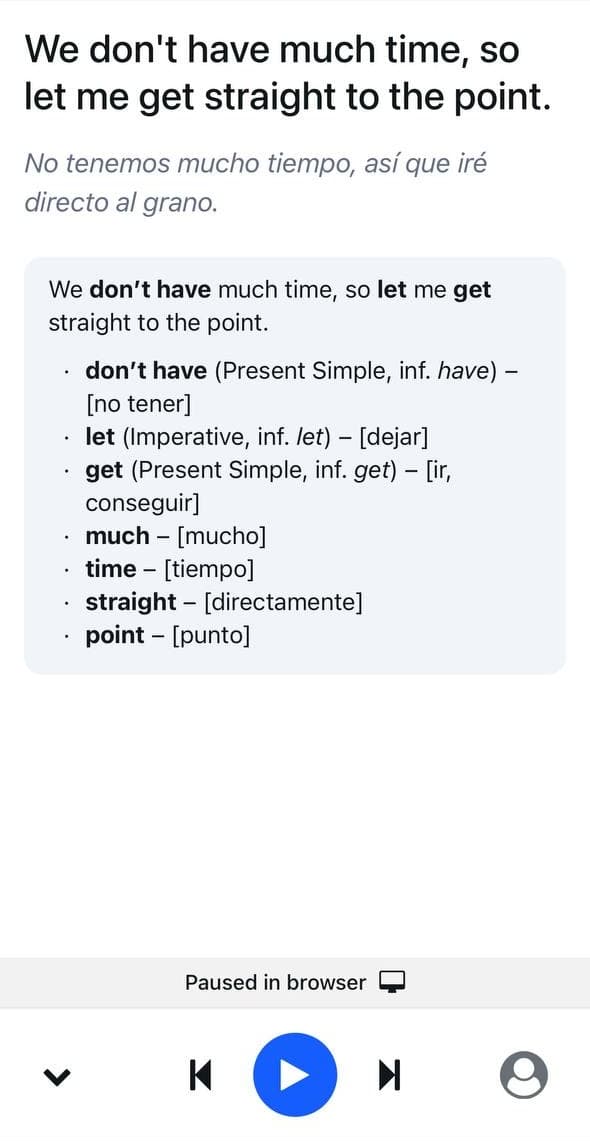
Tap for grammar, idioms, and vocabulary notes in your language — powered by AI with monthly fair-use limits.
Remote playback control
Play, pause, and skip from the app so you do not have to reach for the laptop mid-scene.
Browser + phone in sync
The extension sends subtitles over a secure paired session; your phone shows the same line in real time.
Personal dictionary
Tap a word—or a single character in Chinese, Japanese, or Korean—for translation, then save it to your dictionary. Search, review, and listen again anytime from Profile → Dictionary.
Learn from what you already watch
SubWise is built for immersion: original audio and subtitles on the big screen, translations, saved vocabulary, and explanations on your phone — English, Spanish, Russian, Turkish, Japanese, Korean, Arabic, Chinese, and more.
- Pair once with a QR code from the extension
- Works with streaming sites the extension supports (e.g. YouTube, Netflix)
- Sign in on mobile for AI explanations, translation, and your dictionary
- Save translated words while you watch and review them later
- Free tier with optional premium for higher limits
How it works
Install the Chrome extension
Add SubWise from the Chrome Web Store so it can read subtitles from supported video sites.
Get the mobile app
Install SubWise on iOS or Android and sign in so translation and AI explanations can run on your account.
Pair with QR
Open the extension, start a session, and scan the QR code from the SubWise app to link phone and browser.
Watch and learn
Play a video with subtitles. Lines appear on your phone with translation, optional AI explanations, remote controls, and words you can save to your dictionary.